
Remove README.md as we decided to use README.rst in #57

Signed-off-by: Daniel Lim Wee Soong <weesoong.lim@gmail.com>
diff --git a/README.md b/README.md
deleted file mode 100644
index fee6994..0000000
--- a/README.md
+++ /dev/null
@@ -1,105 +0,0 @@ -# SymbiFlow Verilog to XML - -[](https://python-symbiflow-v2x.readthedocs.io/en/latest/?badge=latest) [](https://travis-ci.com/SymbiFlow/python-symbiflow-v2x) - -v2x is a tool for converting specialized annotated Verilog models into XML needed for -[Verilog to Routing flow](https://docs.verilogtorouting.org/en/latest/arch/reference/). - -Documentation can be found at [https://python-symbiflow-v2x.readthedocs.io/en/latest/](https://python-symbiflow-v2x.readthedocs.io/en/latest/examples.html). - -## Installation - -v2x can be installed from a local git repository using pip. - -``` -cd python-symbiflow-v2x -pip install . -``` - -Alternatively, it can be installed from GitHub directly. - -``` -pip install git+https://github.com/SymbiFlow/python-symbiflow-v2x.git#egg=python-symbiflow-v2x -``` - -## Usage -After installing v2x, you can run `v2x` to use it. - -``` -v2x -h -usage: __main__.py [-h] [--top TOP] [--outfile OUTFILE] [--includes INCLUDES] - [--mode {pb_type,model}] - input.v [input.v ...] - -Verilog to XML - -positional arguments: - input.v One or more Verilog input files, that will be passed - to Yosys internally. They should be enough to generate - a flattened representation of the model, so that paths - through the model can be determined. - -optional arguments: - -h, --help show this help message and exit - --top TOP Top level module, will usually be automatically - determined from the file name im.v - --outfile OUTFILE, -o OUTFILE - Output filename, default 'output.xml' - --includes INCLUDES Comma separate list of include directories. - --mode {pb_type,model} - Output file type, possible values are: pb_type and - model. Default value is pb_type -``` - -For example, to generate a pb_type xml file from adder.v, run - -``` -v2x -o adder.pb_type.xml adder.v -``` - -Or, to generate a model xml file, run - -``` -v2x --mode model -o adder.model.xml adder.v -``` - -v2x expects the module name to be the same as the file name. If it is different, make sure to specifiy it with the `--top` argument. - -``` -v2x --top BLOCK -o adder.pb_type.xml adder.v -``` - -## Tests - -The test cases are stored in tests/, and pytest can be used to run them. - -``` -rm -rf build # run this step so that pytest uses the latest files for the tests -pytest -vv -``` - -If you are making changes to any python code, make sure that they follow the PEP8 style guide by running flake8. - -``` -flake8 tests -flake8 v2x -``` - -## Documentation - -We use sphinx for our documentation and the files are stored in docs/. To host it locally (if you are planning to update it), you can use the Makefile inside. - -First, run `make env` to prepare a Conda environment that contains the necessary packages to build and host the documentation site. After that, simply run `make livehtml` which starts a local server running at port 8000 with the documentation site. - -``` -cd docs -make env -make livehtml -``` - -## Talks - -**VPR device models generation from Verilog with V2X - Karol Gugala - ORConf 2019** - -[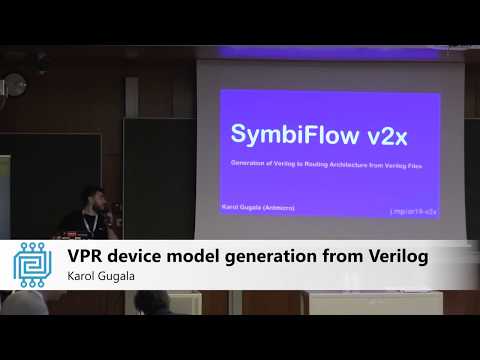](https://www.youtube.com/watch?v=a31vH_tZLBM) -